


Our services require no commitments. Take your numbers with you. Our Helpdesk is located in Conroe Texas and ready to help you get up and going with your Hosted PBX or SIP Trunking services.
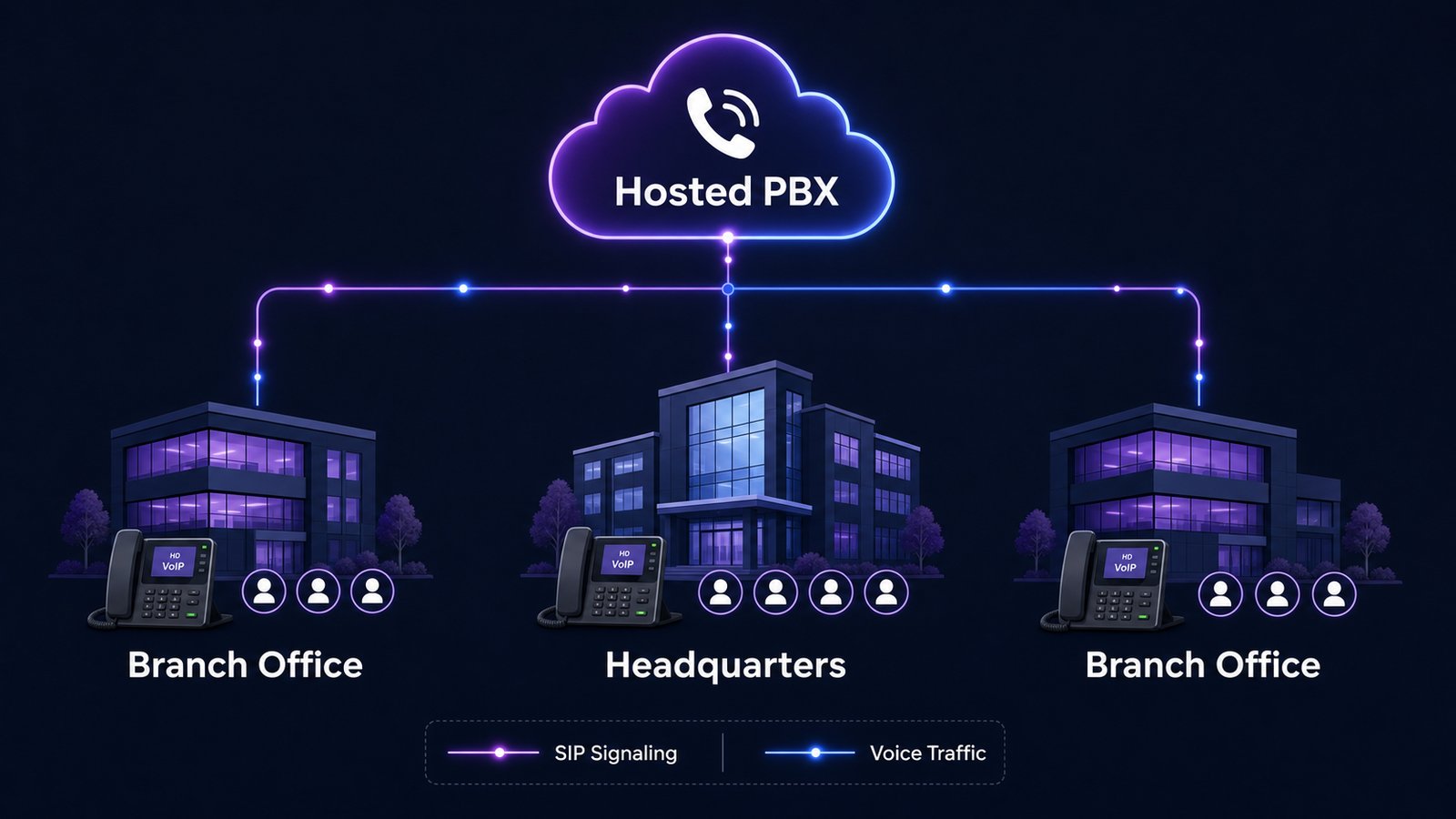
By moving your company to a VoIP PBX in the cloud, you can enable all employee's to communicate between your HQ and branch office locations.

Easily connect your PBX to our global network of 30+ Point of Presence servers.



Manage high volumes of incoming calls by directing them to a queue. Configure custom voice prompts and on-hold music.

We Encrypt all call details through SIP-TLS (Transport Layer Security) and audio through SRTP (Secure Real-Time Protocol).

Manage Incoming calls through your own voice prompt system. Easily route your callers to the proper destination.

Configure your incoming calls to ring different extensions simultaneously in different departments with ease.

Configure your incoming calls to be redirected automatically to any phone number of your choice.

Create a virtual conference room through our web portal. Control and Monitor all aspects of your meetings.

Define how your incoming calls will be routed depending on the time of the day. Specify during business hours, after hours & holidays.

We provide 3 options for call handing in the event the extension is not available. No Answer, Busy, Device Unreachable
Receiving your voicemails directly to your email inbox as an audio attachment.

View details about your inbound and outbound call history

Route calls to multiple phones or members of a hunt group one after another. The call hunting process continues until an available extension answers the call or goes to voicemail.

Upload your own professional audio file to be used for IVRS, Voicemail and others.